API Keys
Route: Settings → API Keys (/settings/apikeys)
API keys connect your applications to TrailAI. Every SDK connection authenticates with a pair of keys scoped to one project.
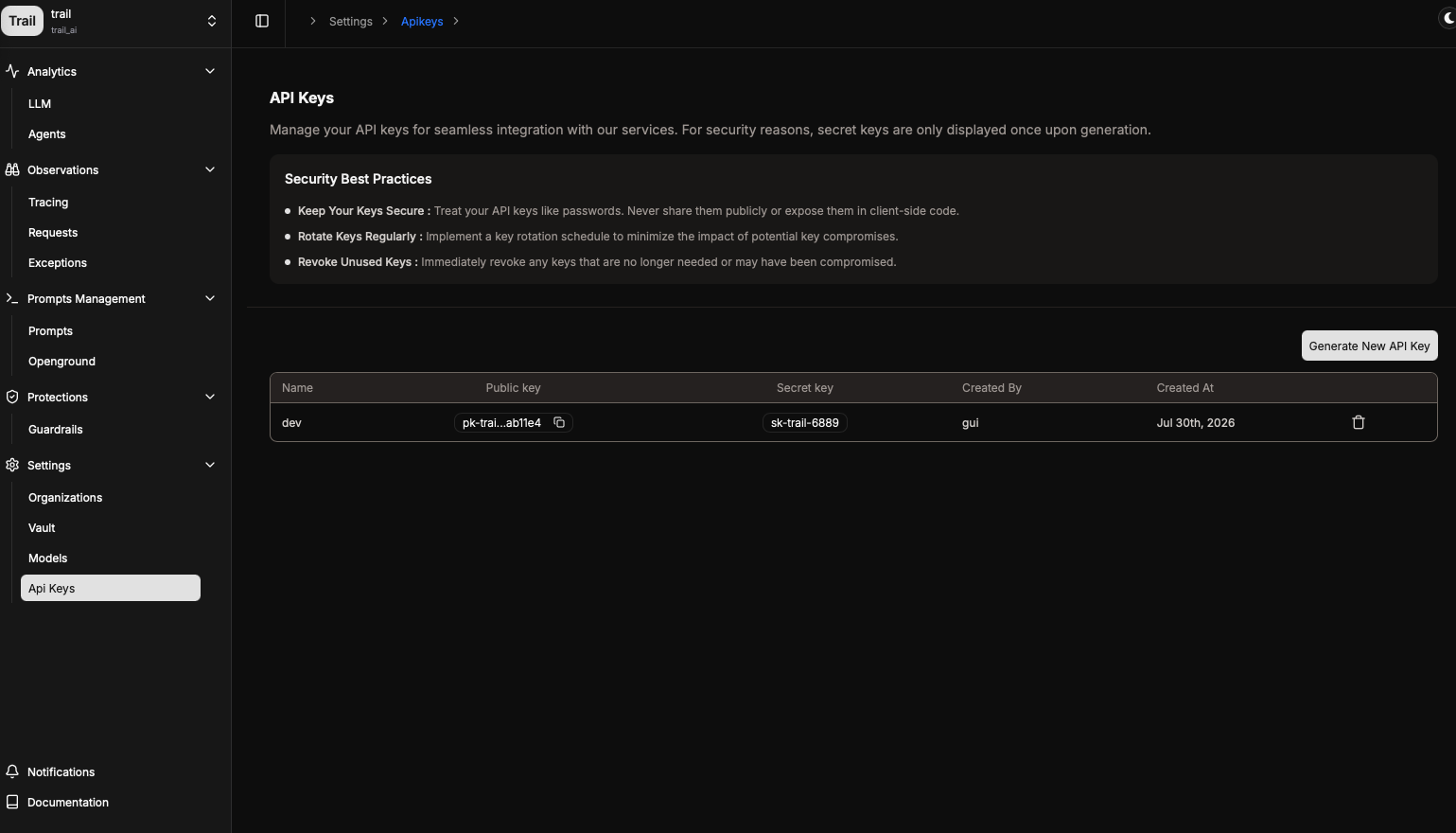
The key pair
| Key | Header | Prefix | Sensitivity |
|---|---|---|---|
| Public key | X-Public-Key |
pk-trail-… |
Identifies the project. Low sensitivity |
| Secret key | X-Secret-Key |
sk-trail-… |
Authenticates the caller. Treat as a password |
Both are required on every SDK request. The public key alone grants nothing.
Keys are project-scoped. A key issued for support-bot can only write to support-bot and can
only read that project's prompts, vault secrets, and guardrails. Switching the project switcher before
generating is how you choose which project a key belongs to.
Generating a key pair
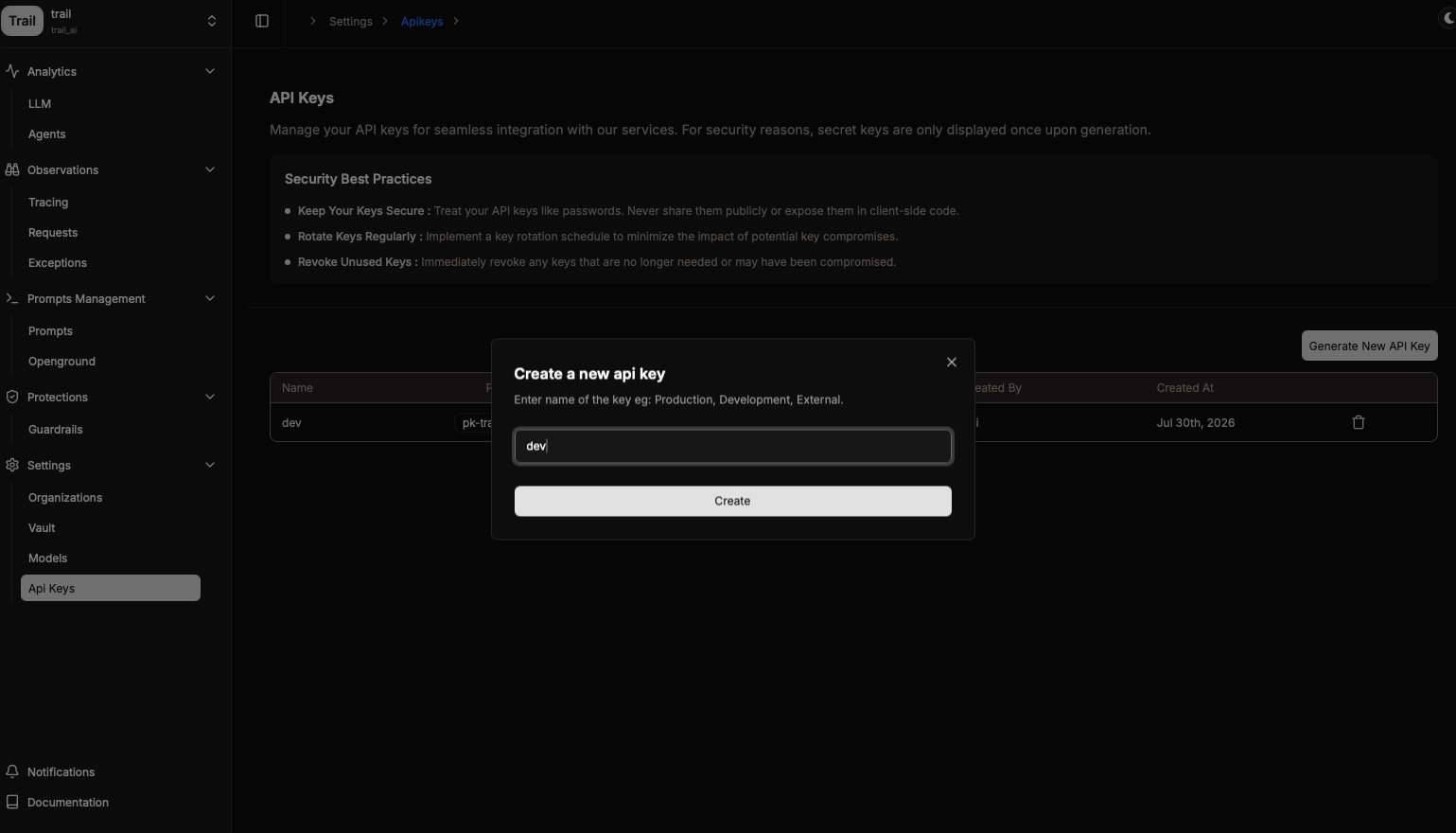
- Check the project switcher — the key is issued for the currently selected project.
- Click Generate New API Key.
- Copy the secret key immediately.
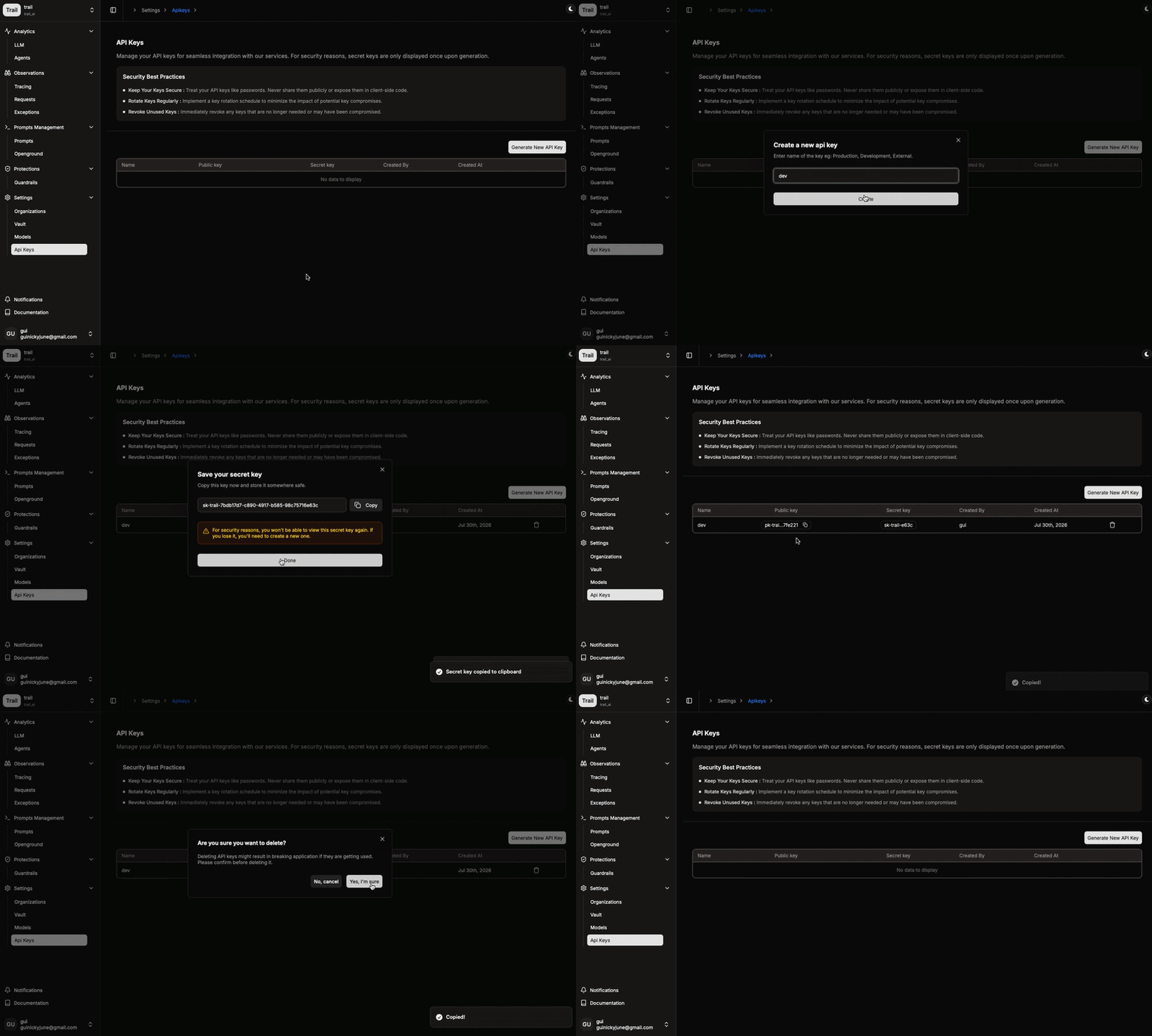
⚠️ The secret key is shown exactly once
It is stored hashed. TrailAI cannot show it to you again, and support cannot recover it. Close that dialog without copying and your only option is to generate a new pair.
Put it straight into your secret store — your platform's secret manager, your CI secret store, or a
local .env that is in .gitignore.
Using the keys
# .env  — never commit this
TRAIL_URL="https://your-trail-host/api/sdk/v1"
TRAIL_PUBLIC_KEY="pk-trail-xxxxxxxx-xxxx-xxxx-xxxx-xxxxxxxxxxxx"
TRAIL_SECRET_KEY="sk-trail-xxxxxxxx-xxxx-xxxx-xxxx-xxxxxxxxxxxx"
import os
import trail

trail.init(
    application_name="support-bot",
    environment="production",
    url=os.environ["TRAIL_URL"],
    public_key=os.environ["TRAIL_PUBLIC_KEY"],
    secrect_key=os.environ["TRAIL_SECRET_KEY"],   # note the spelling
)
See SDK Configuration for every option.
Managing existing keys
The list shows each pair's public key (full), secret key (masked), creation date, and creator. From a row you can copy the public key or revoke the pair.
Revoking
Revoking takes effect immediately. Any application still using that pair stops sending telemetry right away — and because the SDK is built never to crash the process it instruments, that failure is quiet. Your app keeps working; you simply stop receiving data.
Rotate in this order:
- Generate the new pair.
- Deploy it to every application using the old one.
- Confirm traces are still arriving in Tracing.
- Then revoke the old pair.
When to use separate keys
One pair per project is the baseline. Generate additional pairs when you want independent revocation:
| Situation | Why a separate key |
|---|---|
| Multiple services writing to one project | Revoke one service without disrupting the others |
| CI / test environments | Revoke freely without touching production |
| A contractor's local development | Revoke the day the engagement ends |
| A one-off migration or backfill script | Revoke as soon as it's finished |
Security practice
Do:
- Store secret keys in a secret manager, not in code.
- Rotate on a schedule — quarterly is reasonable.
- Rotate immediately when someone with access leaves the team.
- Use separate keys per environment.
- Add
.envto.gitignorebefore you create it, not after.
Don't:
- Commit a secret key. If you do: revoke it, generate a new pair, deploy, then worry about the git history. Rewriting history does not un-leak a key.
- Paste keys into chat, tickets, or screenshots.
- Share one key pair across unrelated applications — you lose the ability to revoke selectively.
- Put a secret key in client-side code. TrailAI's SDK is server-side; a key in a browser bundle is a published key.
If a key leaks: revoke it first, generate and deploy a replacement, then check Tracing for traffic you don't recognise.
Troubleshooting
| Symptom | Likely cause |
|---|---|
| No data arriving, no errors in your app | Key revoked, or wrong project's key. The SDK fails silently by design |
401 / auth errors in SDK logs |
Public/secret mismatch, or keys from different pairs |
| Traces appear in the wrong project | You generated the key with a different project selected in the switcher |
| Prompts/vault/guardrails fail while tracing works | Credentials passed via env vars only — pass them as trail.init() arguments too. Details |
More in SDK Troubleshooting.
Related
- SDK Configuration — using keys in code
- Organizations & Members — who can generate keys
- Vault — storing your other secrets in TrailAI