Core Concepts
Understanding six concepts makes the rest of TrailAI obvious. Read this once; everything else follows.
The hierarchy
Organization  ──┬── Member (with a Role)
                │
                └── Project  ──┬── API Key pair (public + secret)
                               ├── Traces & Spans
                               ├── Metrics
                               ├── Guardrails
                               ├── Prompts (with Versions)
                               ├── Vault Secrets
                               ├── Models
Everything is scoped to a project. Two projects never see each other's traces, prompts, secrets, or guardrails — even inside the same organization.
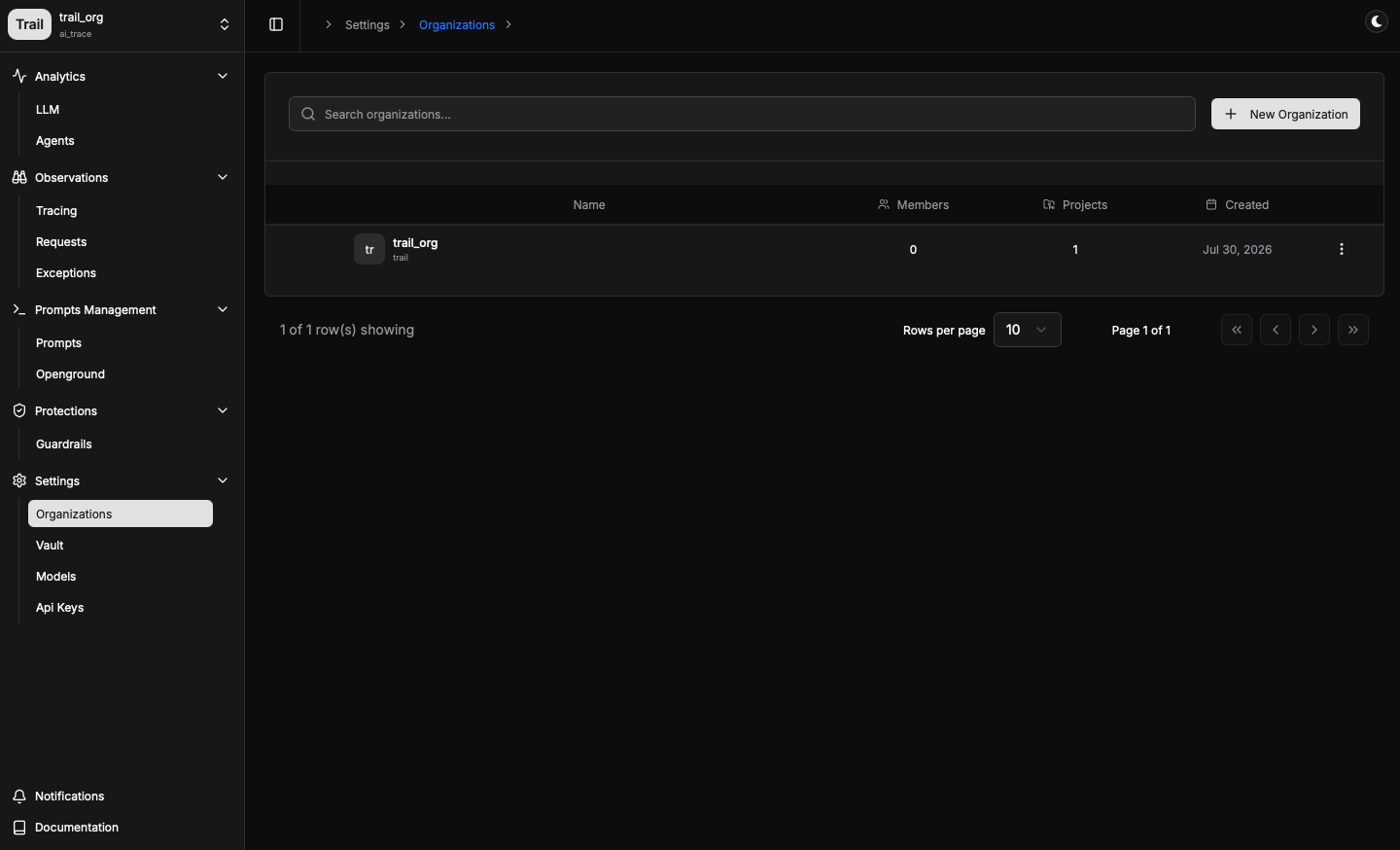
1. Organization
The top-level tenant. An organization owns projects, members, billing, and subscription plan.
- Created during onboarding, or from Settings → Organizations.
- Has exactly one owner. Ownership can be transferred to another member.
- Deleting an organization deletes its projects and all their data. This is irreversible.
2. Project
A workspace inside an organization — usually one project per application or per deployment target.
- Holds all telemetry and configuration for that application.
- Has its own API key pairs; an SDK key authenticates into exactly one project.
- Projects can be transferred between organizations you own.
Sizing guidance: one project per application, and use the SDK's environment field to separate
production / staging / dev within it. Don't create a project per environment — you lose the
ability to compare them on one chart.
3. Member & Role
People you invite into an organization.
| Role | Typical use |
|---|---|
| Admin | Full control of the organization: projects, members, keys, billing |
| Member | Day-to-day use: read telemetry, manage prompts/guardrails per granted project access |
Roles are assigned per member, and project access is granted per member on top of the role. See Organizations & Members.
Three additional roles — Super Admin, Client, and Sdk — exist internally. They gate the three server API namespaces and are never assignable to a team member from the dashboard.
4. API Key pair
Every SDK connection authenticates with two keys, sent as HTTP headers:
| Key | Header | Prefix | Sensitivity |
|---|---|---|---|
| Public key | X-Public-Key |
pk-trail-… |
Identifies the project. Low sensitivity |
| Secret key | X-Secret-Key |
sk-trail-… |
Authenticates the caller. Treat as a password |
The secret key is displayed exactly once, at generation time. If you lose it, generate a new pair and revoke the old one. See API Keys.
5. Application & Environment
Two labels every SDK-instrumented process attaches to all of its telemetry:
trail.init(
    application_name="support-bot",   # → OTel service.name
    environment="production",         # → OTel deployment.environment
)
They become filter and grouping dimensions across the dashboard — "cost by application", "cost by environment", trace filters, and so on. Set them deliberately; they are the primary way you slice data inside a project.
6. Trace, Span, and Role
TrailAI speaks OpenTelemetry.
- A trace is one end-to-end operation — a user request, an agent run, a batch job.
- A span is one unit of work inside that trace — an LLM call, a tool invocation, a DB query. Spans nest, forming the tree you see in the trace detail view.
- A role is TrailAI's classification of a span, set by the SDK. It drives how the span is rendered and which analytics it feeds.
| Role string | Classified as | Feeds |
|---|---|---|
agent |
agent |
Agent analytics — counts as an agent run |
agent step / task |
agent |
Agent analytics — counts as a step |
tool |
tool |
Agent analytics — counts as a tool call |
llm |
llm |
LLM analytics |
memory |
memory |
Trace tree only |
api / external |
external |
Trace tree only |
| (unset) | function |
Trace tree only |
Auto-instrumented provider calls get their roles and gen_ai.* attributes automatically. You set
roles yourself only for code TrailAI cannot see into — your agent loops and tools. See
Manual Tracing.
Guardrail concepts
| Term | Meaning |
|---|---|
| Guardrail | A named, saved configuration that decides whether a piece of text is allowed |
| Detection type | How the check runs: LLM Based Detection (a judge model) or Regex Based Detection (pattern rules) |
| Guard type | What it looks for: Prompt Injection, Sensitive Topics, Topic Restriction, or All |
| Threshold | The score above which a verdict becomes a block |
| Default guardrail | The one used when the SDK calls trail.guard.input() without an explicit guardrail_id |
| Guard prompt | One logged check — the text, the verdict, the score, the explanation |
A check returns a verdict object:
{
  "score": 0.9,
  "verdict": "yes",
  "guard": "prompt_injection",
  "classification": "impersonation",
  "explanation": "The text instructs the model to ignore prior instructions."
}
verdict: "yes" means the guard fired — the content matched what the guard looks for and should
be blocked. Full detail in Guardrails.
Prompt concepts
| Term | Meaning |
|---|---|
| Prompt | A named, versioned template owned by a project |
| Version | An immutable snapshot of the prompt's messages. New edits create a new version |
| Label | A moving pointer to a version (e.g. production, staging) so you can promote without a code change |
| Message role | system, developer, assistant, user, or placeholder |
| Variable | A slot filled at fetch time; "compiling" a prompt substitutes variables into the messages |
| Download | A counter incremented each time the SDK fetches the prompt — shows what's actually in use |
See Prompt Management and SDK prompts.
Where each concept is created
| Concept | Dashboard | SDK |
|---|---|---|
| Organization | ✅ Onboarding / Settings | ❌ |
| Project | ✅ Onboarding / Settings | ❌ |
| Member | ✅ Settings → Organizations | ❌ |
| API key | ✅ Settings → API Keys | ❌ |
| Trace / span | ❌ | ✅ Automatically |
| Guardrail | ✅ Protections → Guardrails | ❌ (configure in UI, invoke from SDK) |
| Prompt | ✅ Prompts Management | ❌ (author in UI, fetch from SDK) |
| Vault secret | ✅ Settings → Vault | ❌ (store in UI, read from SDK) |
| Model | ✅ Settings → Models | ❌ |
The pattern: configuration is authored in the dashboard, consumed by the SDK.