Prompt Management
Route: Prompts Management → Prompts (/prompt-management/prompts)
Stop hard-coding prompt strings. Store them in TrailAI, version them, label them, and fetch them at runtime — so changing a prompt no longer means a deploy.
Why manage prompts here
| Hard-coded in your app | Managed in TrailAI |
|---|---|
| Changing a prompt requires a deploy | Change it in the UI; apps pick it up on next fetch |
No history — git blame at best |
Every version retained, with author and timestamp |
| No idea which version production runs | Labels point at a specific version, visibly |
| Non-engineers can't touch it | Anyone with access can propose a change |
| Reverting means a rollback | Move the label back to the previous version |
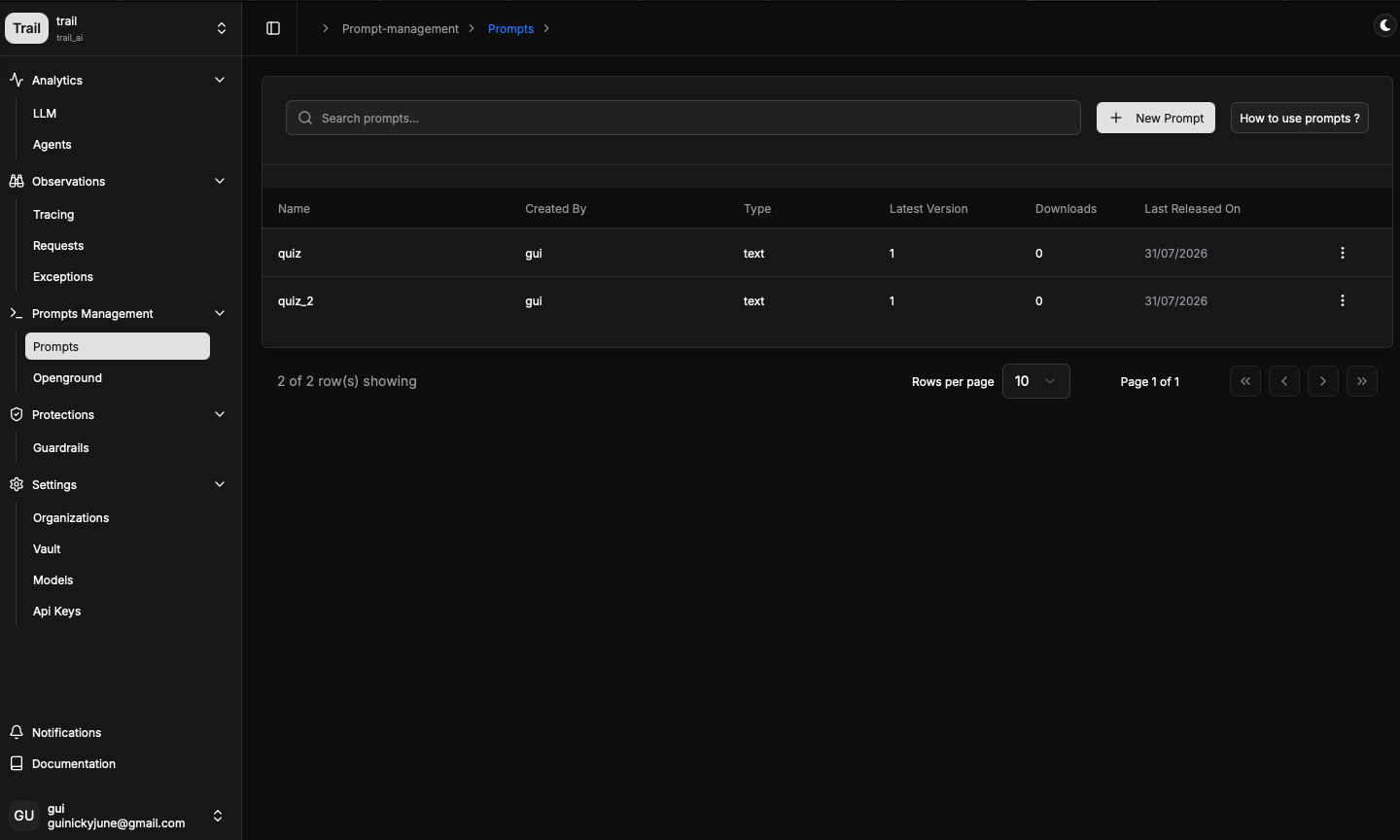
The prompt list
| Column | Meaning |
|---|---|
| Name | The identifier your code fetches by |
| Created By | Who added it |
| Type | Prompt category |
| Latest Version | Highest version number |
| Downloads | How many times the SDK has fetched it — your best signal for what's actually in use |
| Last Released On | When the newest version was published |
Search filters the list live. Page size and pagination sit below the table.
Downloads is the column to watch when cleaning up. A prompt with zero downloads over months is dead weight; one with heavy traffic deserves care before you edit it.
Creating a prompt
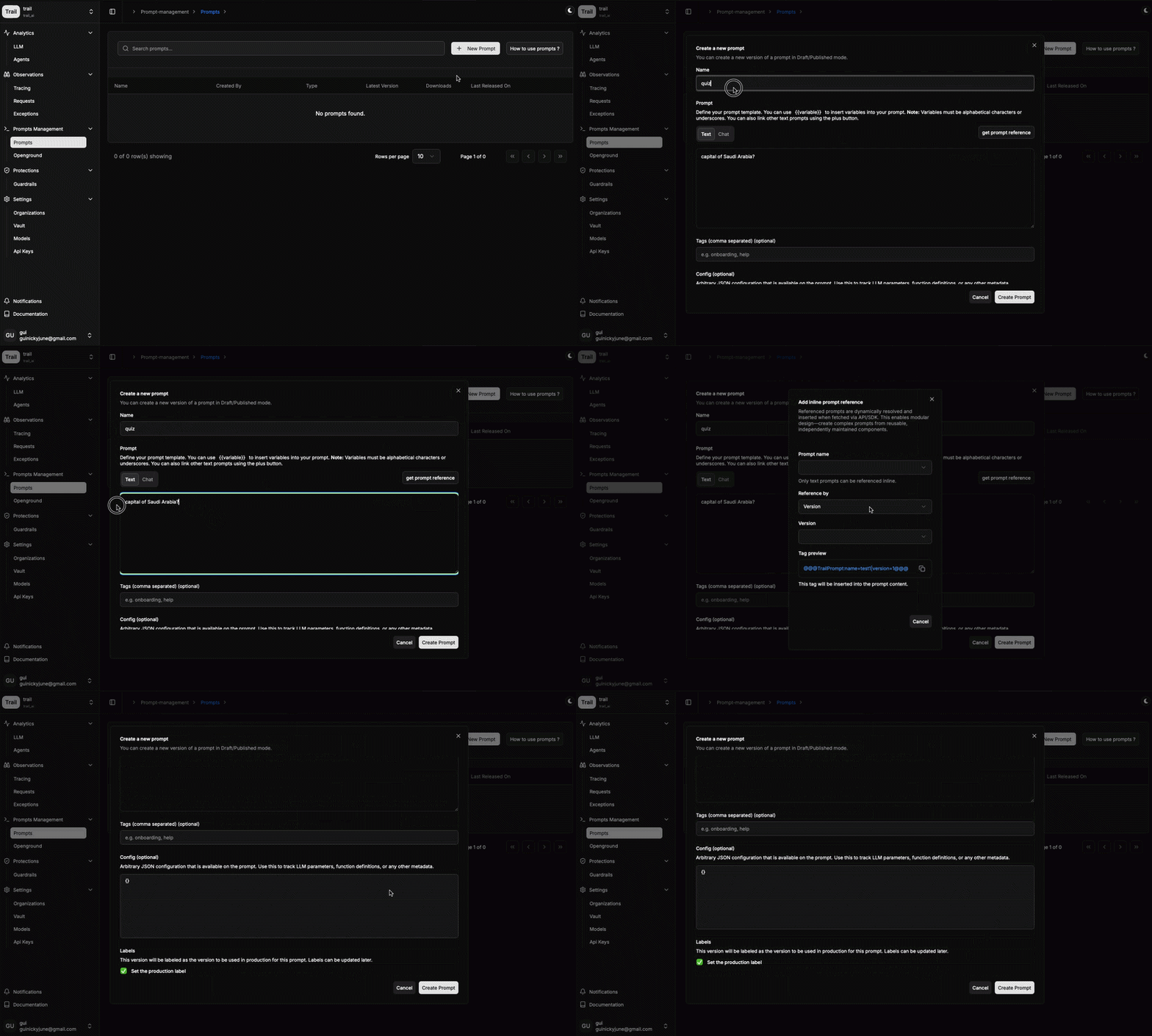
Click New Prompt.
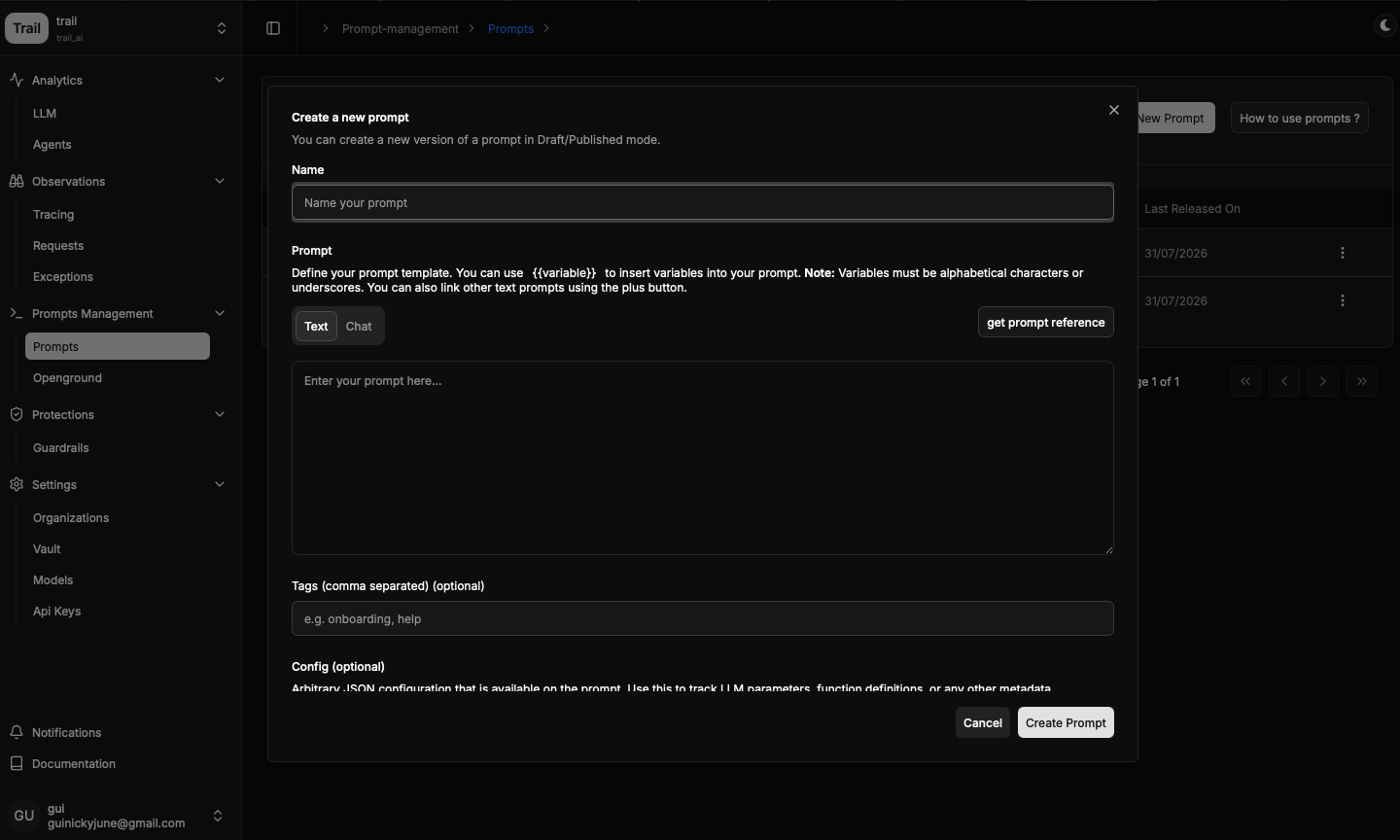
Name
The identifier your code uses:
prompt = trail.get_prompt(name="support-greeting")
Pick a stable, descriptive, lowercase-hyphenated name. Renaming later breaks every app fetching it.
Messages
A prompt is an ordered list of messages, each with a role:
| Role | Purpose |
|---|---|
system |
Instructions and persona — the model's standing orders |
developer |
Developer-level instructions, above user input in priority |
assistant |
A prior assistant turn — used for few-shot examples |
user |
The user turn, usually containing your variables |
placeholder |
A slot for content injected at runtime, e.g. retrieved documents or history |
Messages can be reordered by dragging. Order matters: it is exactly the order sent to the model.
Variables
Use variables for anything that changes per request:
system: You are a support agent for {{company}}. Answer in {{language}}.
user:   {{question}}
Supply them when fetching, and TrailAI returns the compiled result:
prompt = trail.get_prompt(
    name="support-greeting",
    # variables are substituted server-side into the compiled prompt
)
See SDK Prompts for the full call signature.
Versions
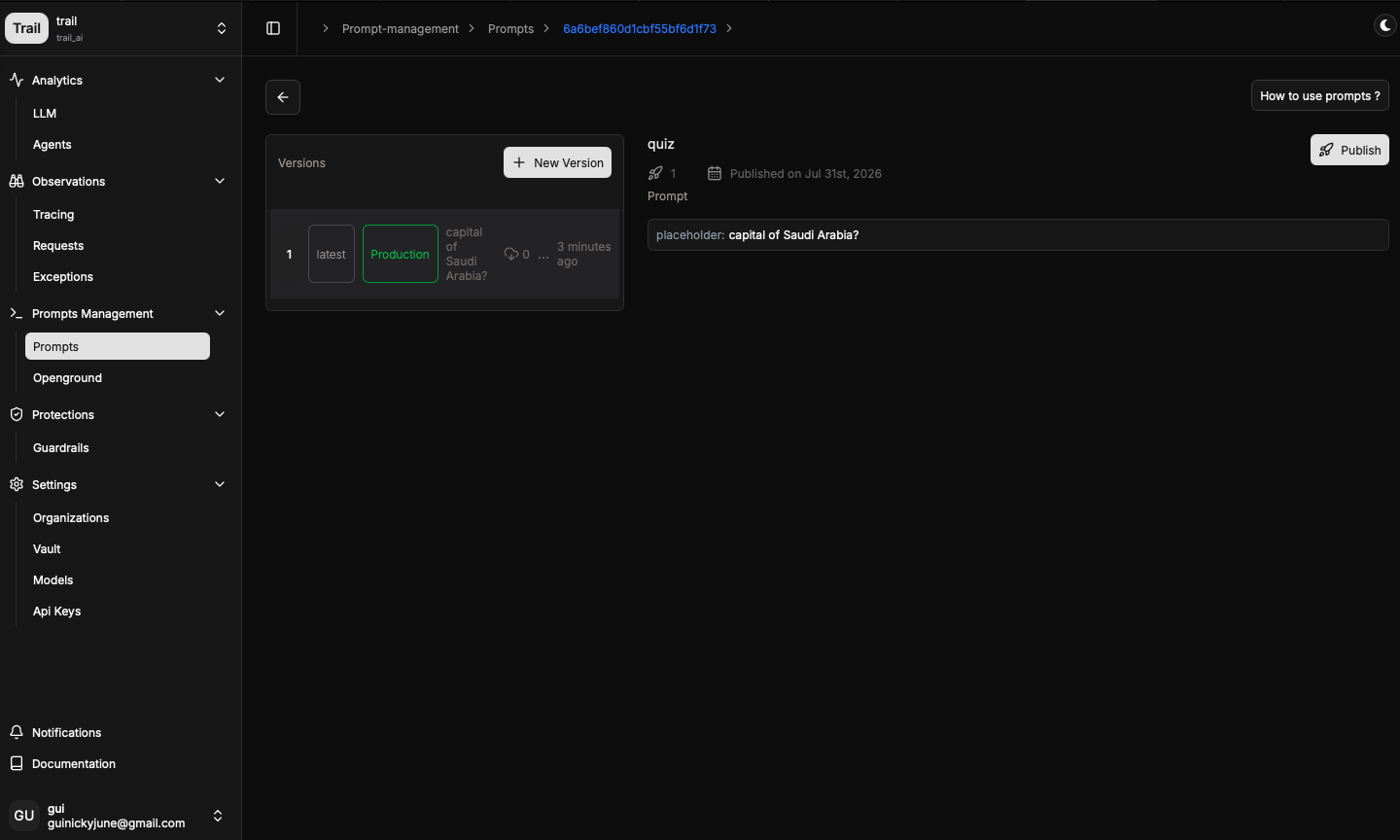
Prompts are versioned. Editing never overwrites — it creates a new version, and old versions stay readable and fetchable forever.
Publishing a new version
Open the prompt → New Version → edit the messages → save.
Labels
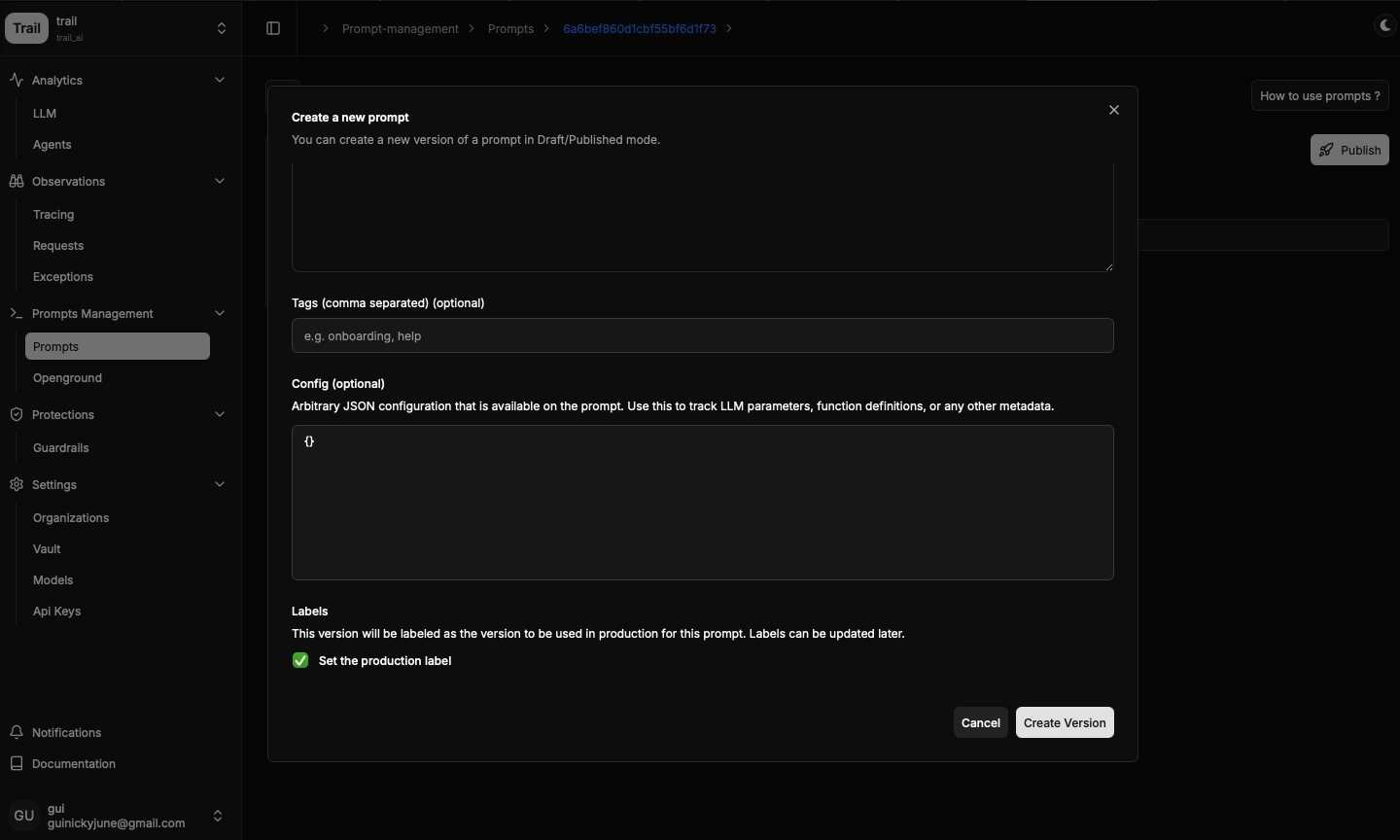
A label is a moving pointer to a version. This is what makes prompt management operationally useful.
production  → v3
staging     → v5
Your production code fetches by label:
prompt = trail.get_prompt(name="support-greeting", label="production")
Promoting v5 to production is then a label move in the UI — no deploy, no code change. Rolling back is moving the label to v4. Nothing in your application changes.
Recommended workflow:
- Author a new version.
- Point
stagingat it; your staging apps pick it up immediately. - Verify in LLM Analytics and Tracing that quality, token usage, and cost look right.
- Move
productionto that version. - If something's wrong, move
productionback. Recovery time is seconds.
Fetching a specific version
Pin explicitly when you need determinism — a reproducible test run, for example:
prompt = trail.get_prompt(name="support-greeting", version="3")
Creating and publishing, end to end
Usage view
Each prompt has a usage panel showing where and how often it's been fetched — which applications pull it, and how frequently. Check this before editing a heavily-used prompt.
Deleting a prompt
Delete removes the prompt and all its versions. Any application still fetching it will fail, and
because get_prompt() returns None on error rather than raising, the failure can be silent in code
that doesn't check.
Before deleting:
- Check Downloads — if it's non-zero and recent, something is using it.
- Check the usage panel for which applications.
- Remove the fetch from those applications and deploy.
- Wait a full release cycle.
- Then delete.
Good practice
- Name for purpose, not content —
rag-answer, notanswer-with-context-v2-final. - One prompt per task. Resist a mega-prompt with branching instructions; separate prompts are easier to version, evaluate, and roll back.
- Always fetch by label in production. Fetching "latest" means an unreviewed edit reaches production instantly.
- Keep variables few and named clearly. Many variables usually means the prompt is doing too much.
- Test in OpenGround before publishing. Compare a prompt change across providers before it reaches users.
- Handle the
Nonecase.get_prompt()returnsNoneon failure — fall back to a safe default rather than passingNoneto your model client.
Related
- SDK Prompts — fetching and compiling from code
- OpenGround — testing prompts across providers
- LLM Analytics — measuring a prompt change's cost impact